Blog
News and notes on virgoOS: releases, how the system works and how to manage it.
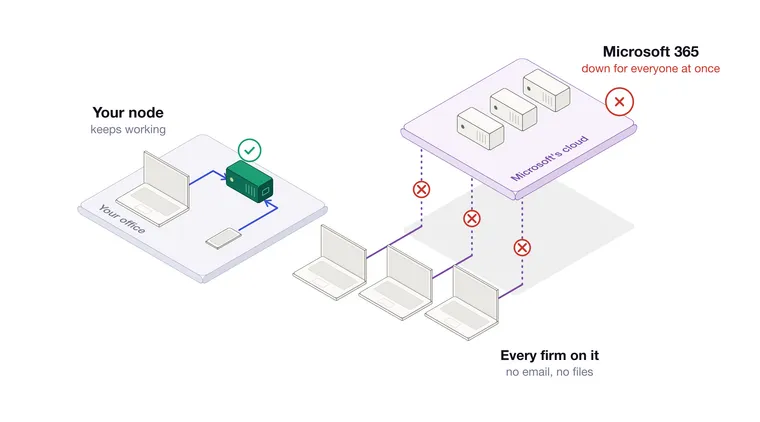
When the cloud goes down, you wait
On 12 November, Outlook and the rest of Microsoft 365 stopped working for firms around the world, stayed down into the next day and were still down when this post was published. What stopped, what a firm could do about it, and how the same day looks with email and files on your own node.
Read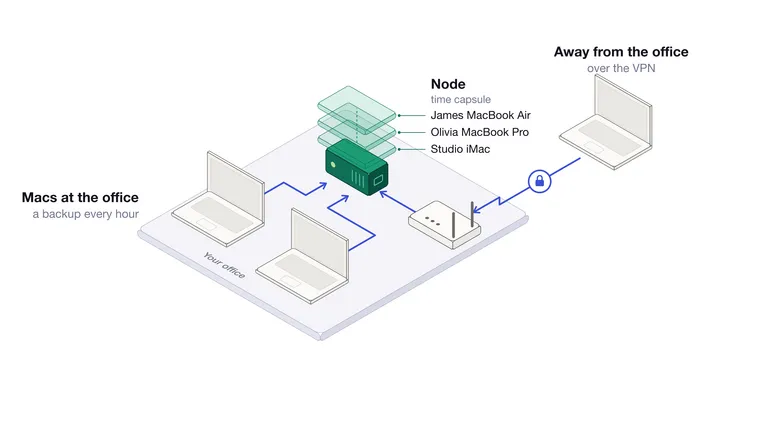
Backing up your Mac to a univrs node
How a univrs node becomes a time capsule for the Macs in your office, how to set up a backup disk for each one, and how to get a file or a whole Mac back.
Read
GDPR on your own server: where the data sits and who can reach it
Where personal data lives on a univrs node, who can reach it from inside and outside the office, and what the node does to keep it available and to delete it.
Read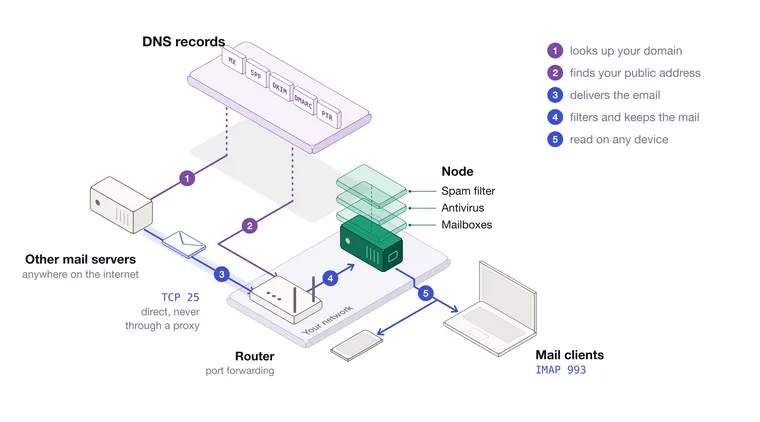
Email on your own server: from an empty node to a working mailbox
Setting up the mail server on a univrs node from start to finish, with the ports, the DNS records, DKIM, the commands that manage mailboxes, how mail clients configure themselves, and what to watch out for.
Read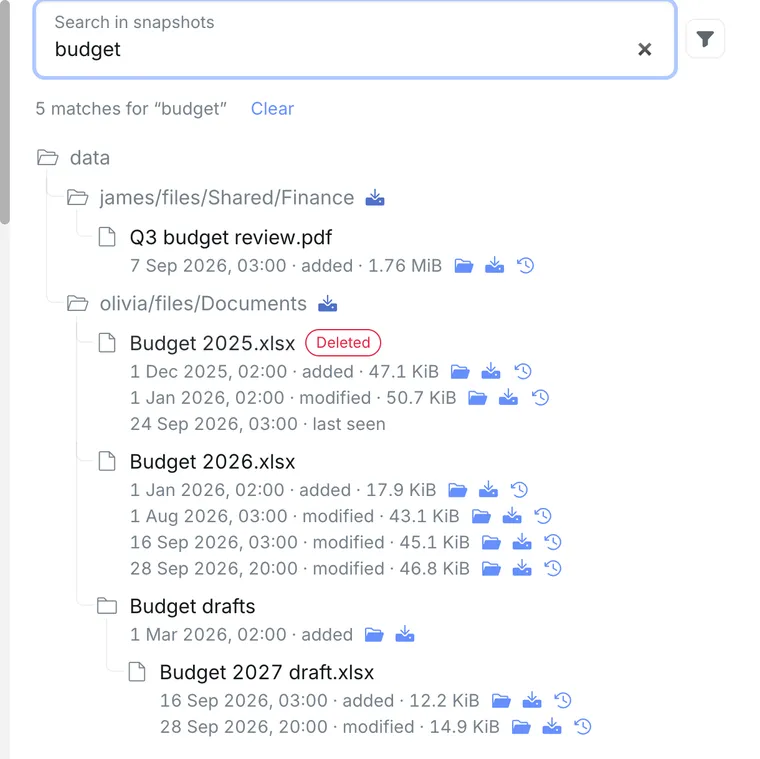
A file went missing: getting it back on a univrs node
A walk through getting a Nextcloud file back on a univrs node, from searching every restore point by name to restoring one version or a whole folder.
Read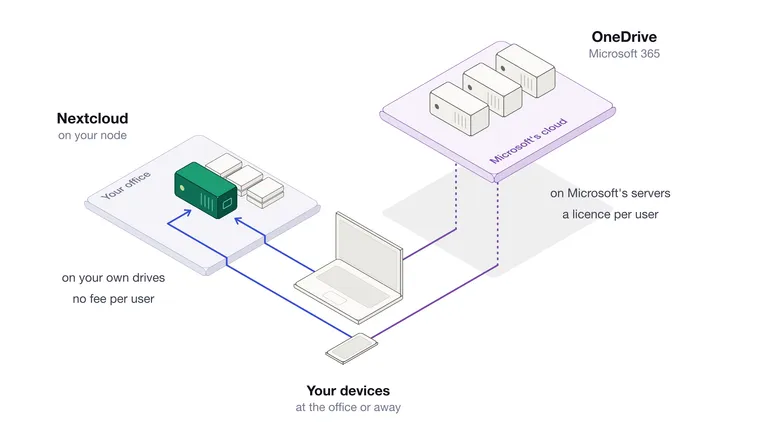
Nextcloud on your own node, or OneDrive: where your firm's files live
Nextcloud on a univrs node and OneDrive do the same job in two different places. A comparison on where the files are, who owns them, what it costs, and how you get a file back.
Read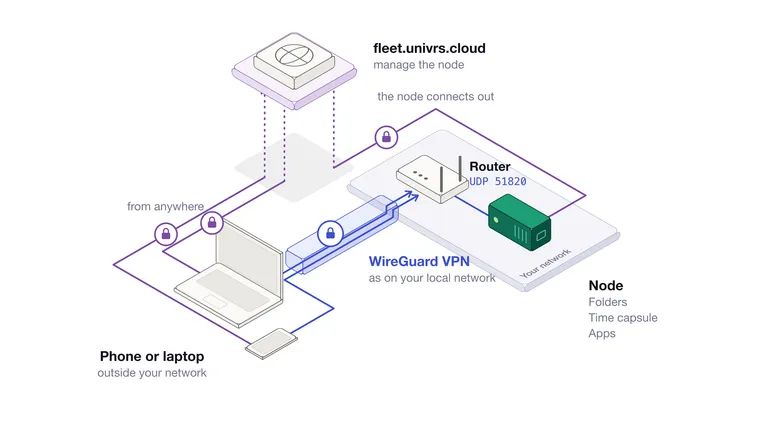
Away from the office: the VPN on a univrs node
How the WireGuard VPN on a univrs node brings your folders and backup disks with you, what it needs from your internet connection, and why it is WireGuard.
Read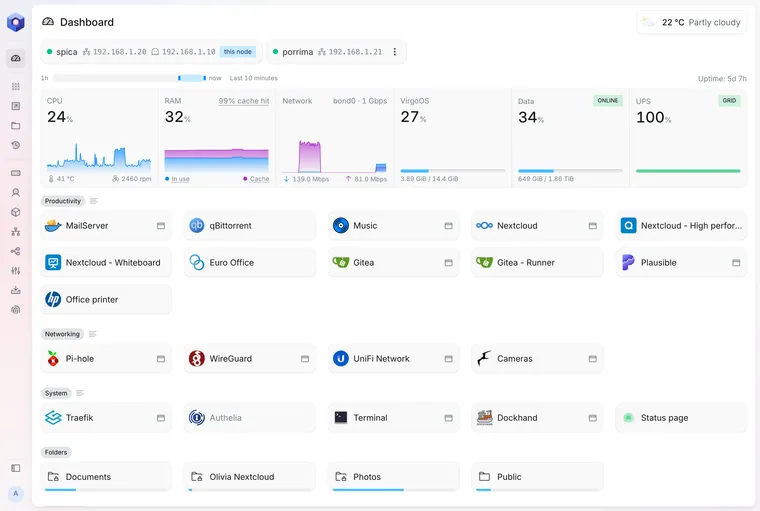
What virgoOS is, and what runs on it
A short tour of virgoOS, the open-source operating system that turns a small server into a private cloud.
Read