
Files
Nextcloud stores your files and shares them with every device, with folders and access rights per user.
virgoOS is an open-source operating system that turns a server into a private cloud. It runs files, email, documents and calls on a server you own, keeps an automatic history of every change, and is managed from a browser.
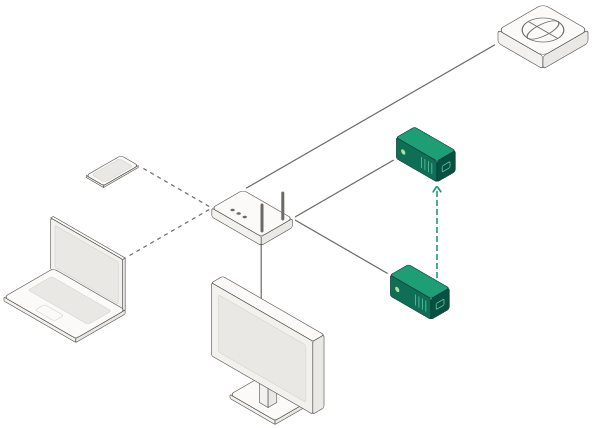
Apps are installed from the App center with a few settings. Each one runs in containers, keeps its data on the storage pool and is reached over HTTPS at its own name under the node's domain.
Nextcloud stores your files and shares them with every device, with folders and access rights per user.
Euro Office opens documents in the browser, so several people can edit the same file at the same time.

A full mail server on your own domain: SMTP and IMAP, with spam and virus filtering.


Video calls with the Nextcloud high-performance backend, and a whiteboard several people draw on at once.
WireGuard gives you an encrypted connection to the node and its apps from outside your network.
Pi-hole blocks ads and trackers at DNS level for every device on the network.
Folders for the computers on the local network, open to the users you choose or to everyone as a guest.
The node shows up on a Mac as a time capsule, with backup disks for the Time Machine app, each with its own capacity.
Gitea with its CI runner, Plausible web analytics, a container dashboard and a terminal in the browser.
Nothing is installed unless you choose it. Three core apps are always present: Traefik routes requests to the apps and handles their SSL certificates, Authelia holds the node's accounts, and Terminal opens a shell from the browser.
Everything an app stores lives on a redundant ZFS pool that checks its own data, keeps years of read-only history and can be searched for files that no longer exist.
The pool is built from at least two data drives. Setup offers the layouts the drives support, from a mirror to RAID-Z3, surviving one to three drive failures.
In the docs : A drive can fail without losing dataThe node keeps a snapshot for each of the last 36 hours, 30 days, 60 months and 5 years, and removes older ones by itself. A snapshot only takes space for what changed since it was taken.
In the docs : Go back by the hourA snapshot is a read-only copy of an app's data as it was at one moment. Files encrypted from an infected computer do not change the snapshots taken before the attack.
In the docs : History that cannot be rewrittenThe pool keeps a checksum of everything it stores. A monthly scrub reads all of it back and repairs anything that does not match from the pool's redundancy.
In the docs : Every block is checkedThe indexer catalogues the files in the snapshots every hour. Search it from an app's snapshots or with the virgo indexer commands to find earlier and deleted versions of a file.
In the docs : Find a file that was deletedThe node monitors its UPS, shows whether it runs on the grid or on battery, and powers off by itself, in order, when an outage lasts too long.
In the docs : A power cut does not corrupt itvirgoOS is an appliance system: setup asks a few questions, and from then on the node is managed from its web interface, from your fleet account or with the virgo command.
Setup runs the first time a node starts. It sets the network, creates the storage pool, registers the node with your fleet, installs the core apps and replaces the factory password.
In the docs : Setup in nine steps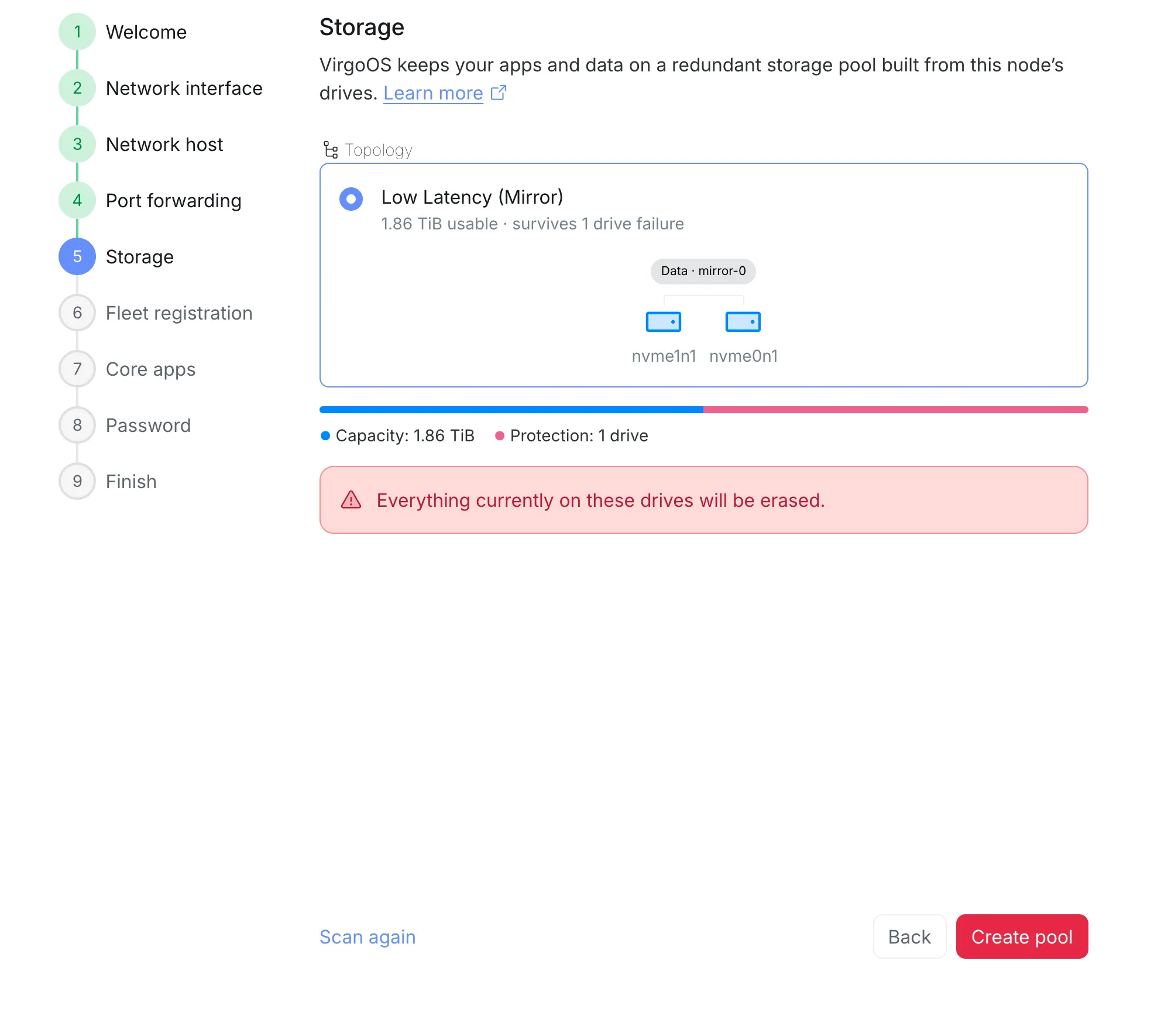
A node answers at hostname.cluster.domain. With univrs.cloud, the DNS record and a wildcard Let's Encrypt certificate are created for you. A domain you own works too.
In the docs : A name and a certificate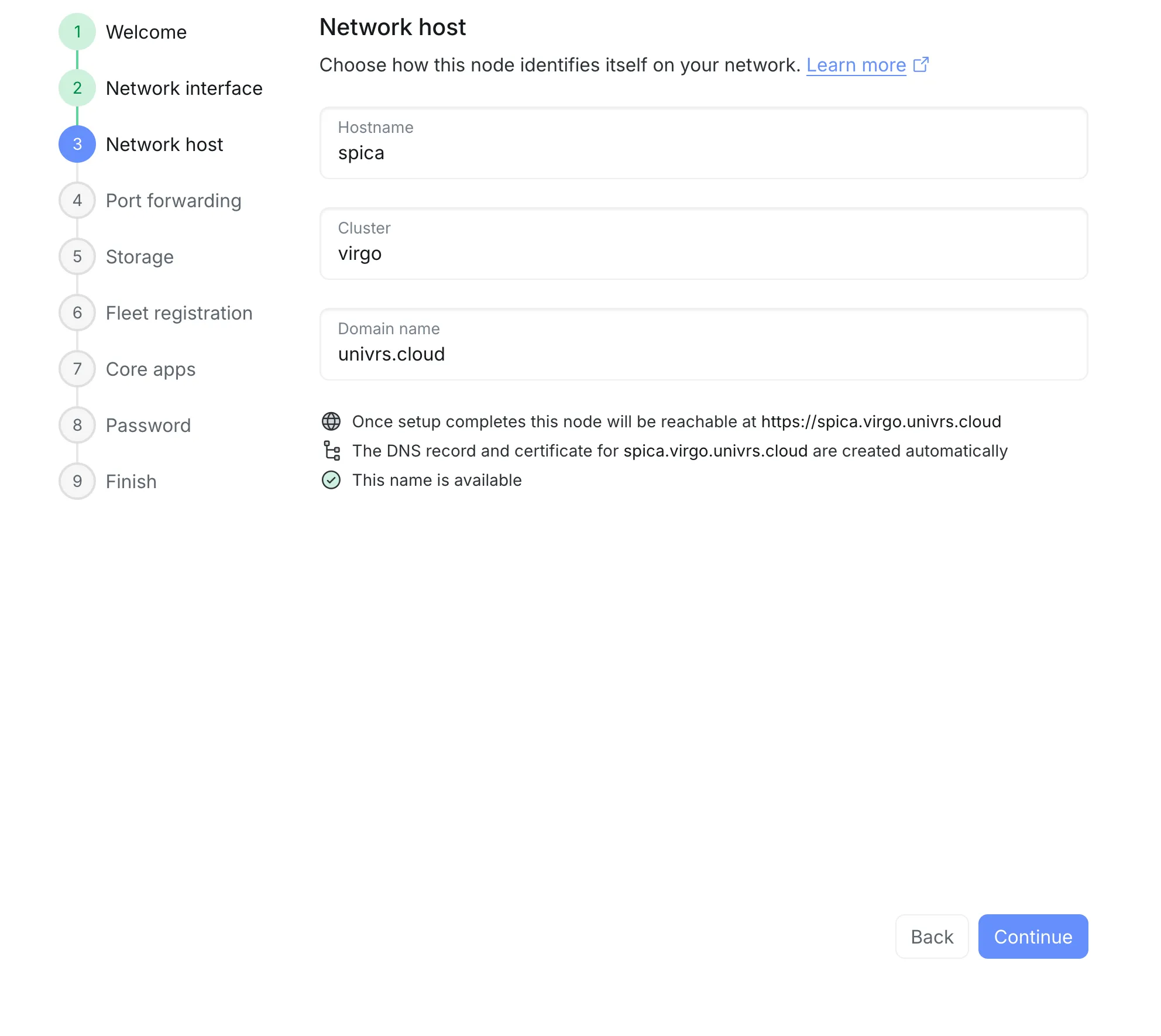
Registering a node connects it to your fleet account. The node connects out to the fleet itself, so managing it works behind CGNAT, without a public IP address or forwarded ports. Email, sharing files from Nextcloud, the VPN and opening apps from outside your local network do need both.
In the docs : Managed from anywhere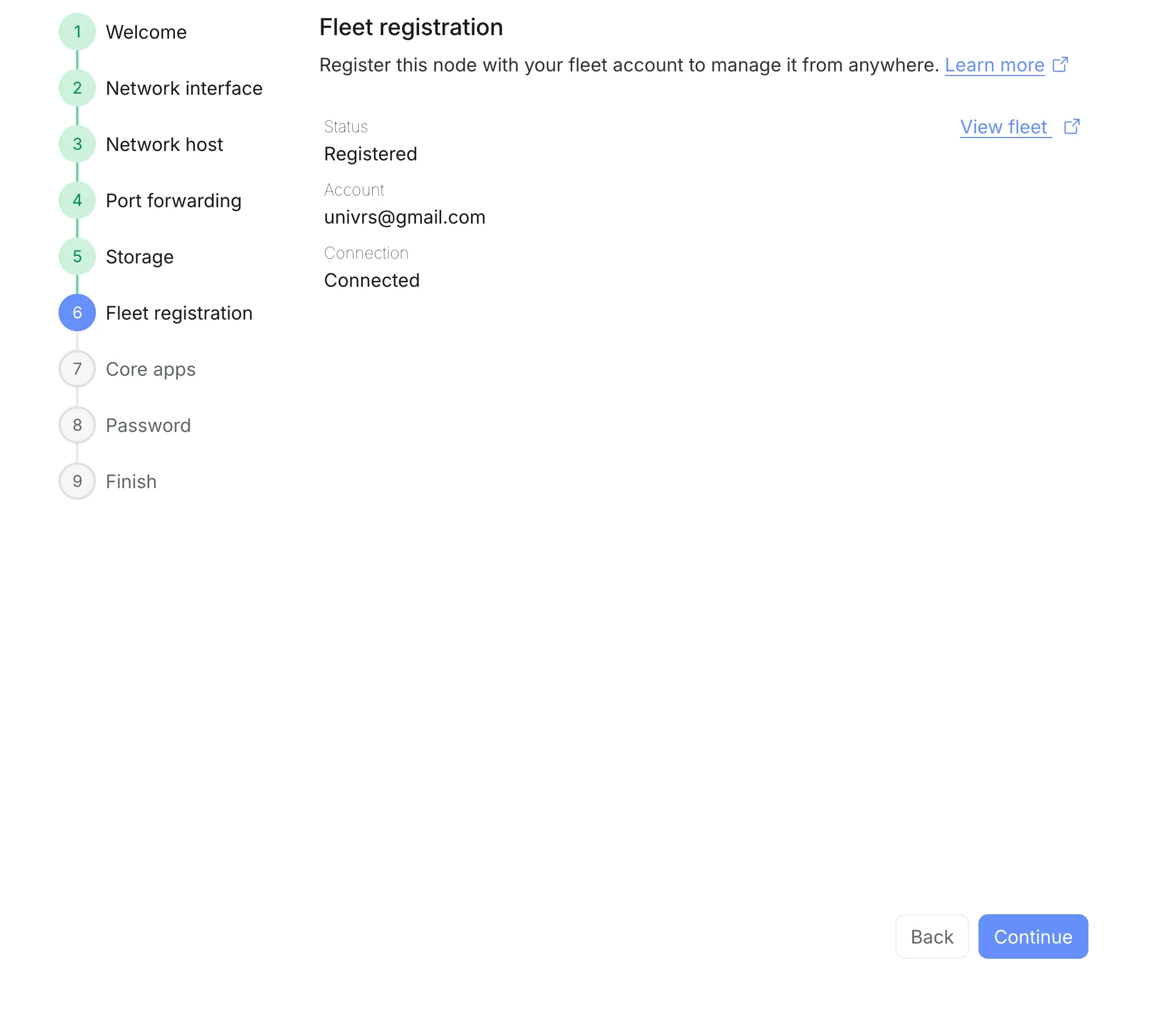
The node checks for updates every day. The Updates page lists each one with its current and new version, and installs them all while showing every step.
In the docs : Updates from one page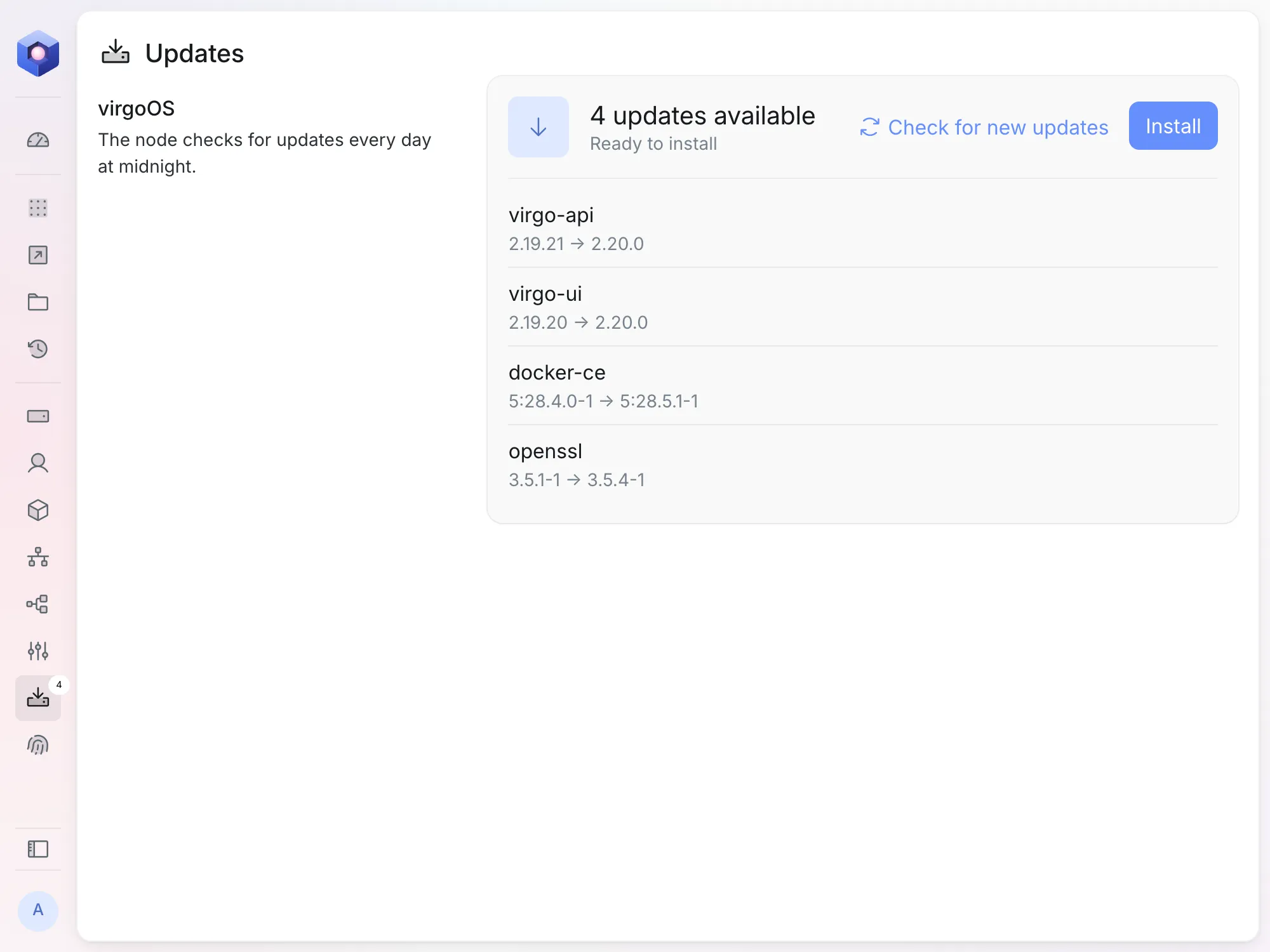
Every node ships with the virgo command, for network settings, installable apps, and indexing and searching the files in snapshots.
In the docs : A command line toovoyager@spica:~$ virgo --helpUsage: virgo [options] [command]virgoOS CLIOptions: -V, --version output the version number -h, --help display help for commandCommands: network Network settings apps Installable applications indexer Index and search files in ZFS snapshots help [command] display help for commandvoyager@spica:~$
virgoOS is an open-source, Debian-based operating system that turns a server into a private cloud. It stores data on a redundant ZFS pool, runs apps such as Nextcloud, a mail server and WireGuard in containers, and is managed from a browser.
The installer images are published with each release on the virgo releases page: an ISO for amd64 and an image for arm64. The setup guide takes over from the first start.
At least two data drives of the same size, within 10% of each other, in addition to the drive the system runs from. At least 8 GB of RAM, with 16 GB or more being ideal, and a wired network connection. Packages are published for amd64 and arm64. The docs list what to have ready before setup.
Yes. Its components are released under the GNU General Public License, version 2, in public repositories at github.com/univrs-cloud.
Not to manage it. A node registered with a fleet account connects out to the fleet, so it can be managed from anywhere, even behind CGNAT. Email, sharing files from Nextcloud, the VPN and reaching the apps from outside your local network do need a public IP address and a few ports forwarded on your router.
Yes. With your own domain you create the DNS records yourself, and registering with a fleet is optional. With univrs.cloud, the DNS record and the wildcard certificate are created through your fleet account. The docs cover choosing the node's name.
The node keeps a snapshot for each of the last 36 hours, 30 days, 60 months and 5 years. Older snapshots are removed automatically. The docs show an app's snapshots and how to search them.
The App center offers Nextcloud with its high-performance backend and whiteboard, Euro Office, a mail server, WireGuard, Pi-hole, Gitea and its runner, Plausible, qBittorrent and Dockhand. Traefik, Authelia and a browser terminal are installed during setup.
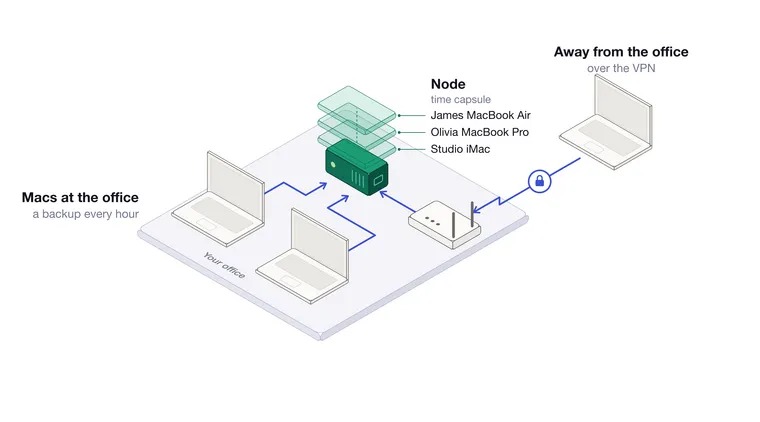
How a univrs node becomes a time capsule for the Macs in your office, how to set up a backup disk for each one, and how to get a file or a whole Mac back.
Read
Where personal data lives on a univrs node, who can reach it from inside and outside the office, and what the node does to keep it available and to delete it.
Read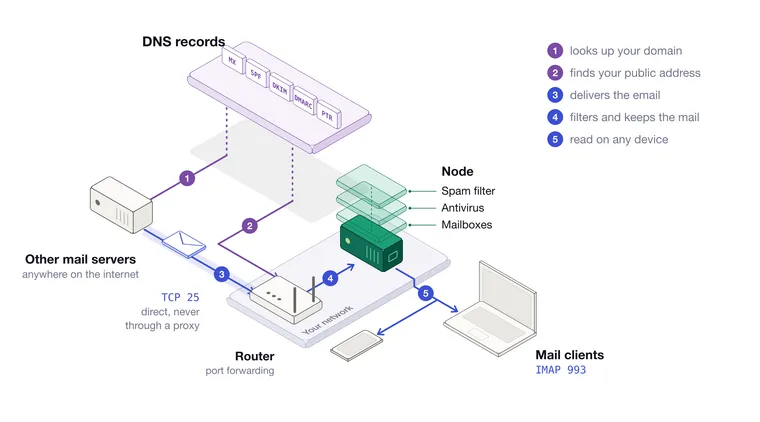
Setting up the mail server on a univrs node from start to finish, with the ports, the DNS records, DKIM, the commands that manage mailboxes, how mail clients configure themselves, and what to watch out for.
ReadA question about virgoOS, or something that does not work as the documentation says?
The documentation covers setup step by step, every management page and the virgo command.