On Thursday, 12 November, Outlook stopped working. Within an hour, people in 74 countries and territories were reporting that they could not open their mailboxes. Teams, Copilot, OneDrive and Microsoft 365 on the web were hit as well. On Friday morning, Microsoft still listed Microsoft 365 for business as degraded, and it had given no time by which everything would be back. When this post was published, it was still down.
This post is about what a day like that means for a firm that keeps its email and files in someone else’s cloud, and how the same day looks when they are on a univrs node in your own office.
What stopped
For most firms, email is how the work arrives: offers, orders, invoices, the client who is waiting for an answer. On Thursday that stopped, and so did much of what lived in the same place.
- Email. Mailboxes would not open, on the web, in the app or on the phone, and the mail that did arrive arrived late. So that messages which could not be delivered on Thursday would not be lost, Microsoft extended how long it keeps trying to deliver them to 48 hours. Whether a client’s email reached you depended on how long someone else’s servers were willing to wait.
- Files. OneDrive and Microsoft 365 on the web were part of the outage, so documents kept there were out of reach too.
- The tools to respond. Intune’s admin dashboards and Defender were affected as well, and so were some cloud-based Windows computers. The tools an administrator would use to work around the problem were down with it.
It was not only small firms. Government systems in Singapore and Japan were disrupted, and so were communications at the Supreme Court of the Philippines and at Australia’s federal police.
What you could do about it
Nothing. Microsoft said the cause was “a large number of servers being unexpectedly unavailable”, under “elevated load across multiple regions”. It paused all deployments, moved traffic off the affected infrastructure and restarted servers. During the night it said that changes meant to improve the service were not working as expected. On Friday morning it was still warning of intermittent issues and delayed email, with no time given for a full fix.
None of that was something you could take part in. Your IT person could not restart a server, your administrator could not move a mailbox, and nobody could tell a client when they would get an answer. What was left was refreshing a status page.
It was not the first time this year, either. The previous major Microsoft outage, in September, was put down to a problem in the configuration of its authentication.
One fault, every firm at once
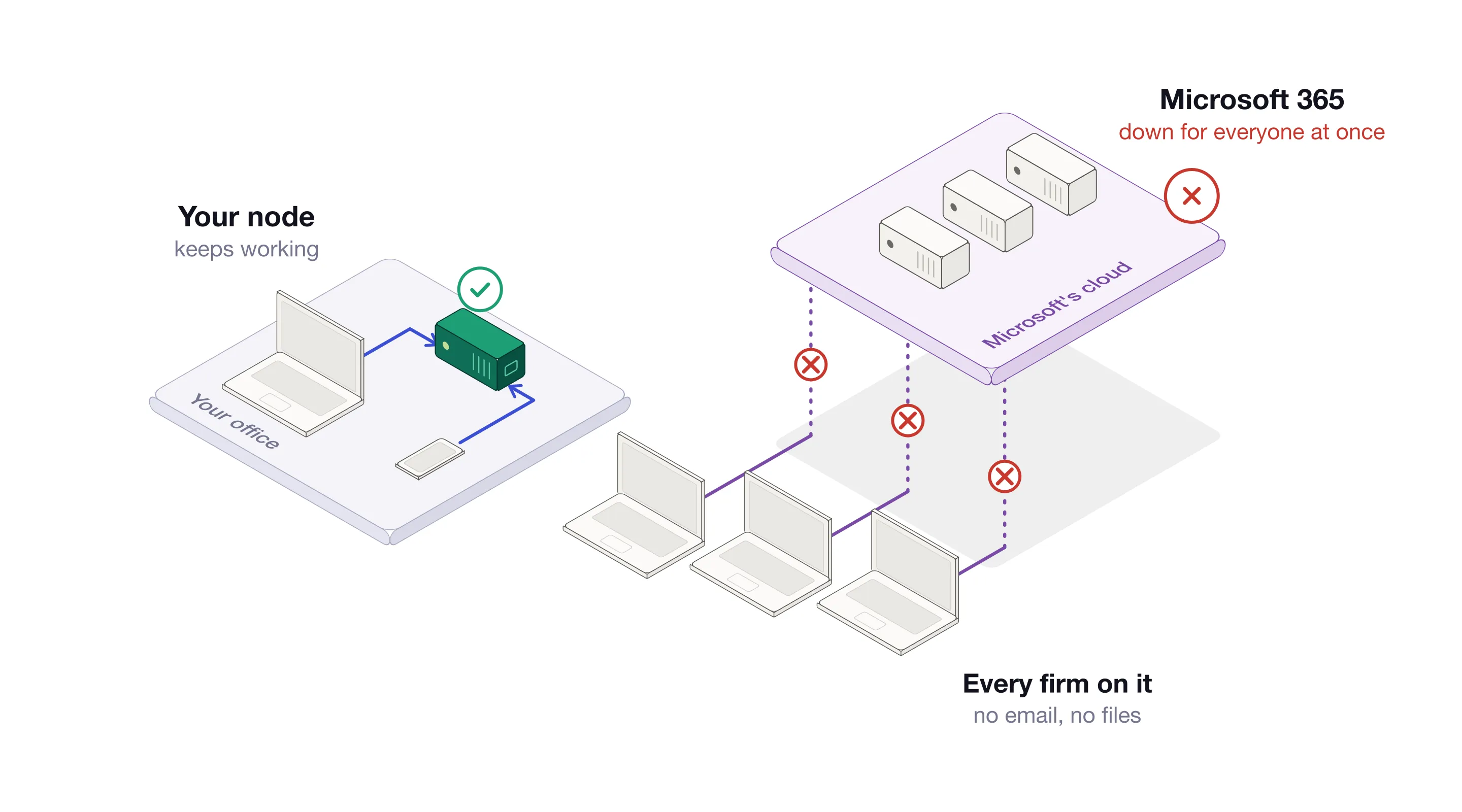
Every firm in Microsoft 365 is a tenant of the same shared infrastructure. When that infrastructure fails, it fails for everyone on it, on the same day and for as long as it takes. How well a firm prepared does not change its place in the queue.
The same day on your own node
On a univrs node, Thursday was an ordinary working day.
Somebody else’s outage is not yours. Your email and your files are not on Microsoft’s servers, so a day like Thursday passes without you noticing. A node shares its infrastructure with no one, and it answers only to the firm it belongs to.
Inside the office, the internet is optional. Your folders and Nextcloud are on the node, on your local network. Even with the internet connection down, the computers in the office keep opening, saving and sharing files on the node as before.
Mail comes straight to you. It goes from the sender’s server directly to the node in your office, with no provider’s queue in between and no one else deciding when it is delivered.
Your data is kept twice over. The node’s storage pool is redundant, from a mirror up, so a drive can be replaced while everything keeps working. Under it, the pool keeps a history of the data: a snapshot for each of the last 36 hours, 30 days, 60 months and 5 years.
A second node takes over. Install a second node, and the data and its snapshots are replicated to it. If the primary node goes down, everything fails over to the secondary, and the firm keeps working. Put the second node in another building, and not even a fire or a theft at the office stops you.
It is in your office. You can see the server, and whoever looks after it is looking after your node, not infrastructure shared by millions.
What it comes down to
- A global outage is not your outage. Your email and files are not on infrastructure shared with millions of others.
- The office keeps working without the internet. Folders and Nextcloud are on your local network.
- Mail comes straight to you. No provider’s queue in between.
- A second node takes over. With a secondary node installed, the data is replicated and everything fails over to it.
- The server is yours. It is in your office, on your network, and it answers only to you.
On Thursday, firms that had put everything in one cloud lost access to their email and their files at the same moment, and could do nothing but wait. With a node, your email and your files stay where your work is: in your office, and in your hands.
Where to go next
- Email on your own server goes through setting up the mail server on a node, from the ports to the first mailbox.
- Nextcloud on your own node, or OneDrive compares the two on where the files are, who owns them and what it costs.
- What virgoOS is, and what runs on it is the short tour of the rest.